
Sell your Samsung phone in Oakville.
Find a new chapter for your Samsung Galaxy phone. Browse the supported models, choose your storage and condition, then check your estimate before booking a visit to our Oakville store.
Explore Samsung Galaxy phones.
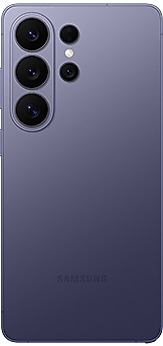
Know which Galaxy you have.
Open Settings → About phone to confirm your model name, then check its storage in Settings. Plus, Ultra, FE and 5G versions can have separate listings and different estimates. Choose the matching device from the Galaxy catalogue; the product photo may show a different colour from your phone.
Check the screen and moving parts.
Test the touchscreen, cameras, charging and other everyday functions before answering the condition questions. Screen burn-in, lines, dead pixels and touch faults should be disclosed as functional issues. On a Galaxy Z Fold or Z Flip, check the hinge and both displays as well as the outer appearance. A phone that does not power on requires an assessment-only booking without a locked dollar amount.
Prepare your Samsung phone for handover.
Back up your photos, messages and other files before visiting. Be ready to remove your Google and Samsung accounts and any account locks when completing the handover. Never share account passwords through the website. Bring the phone charged if possible, and remove your SIM and any memory card before leaving it with us.
01 / Choose your device
Select the exact model and configuration. Answer the condition questions to see an estimate before entering contact details.
02 / Book your visit
Choose an available appointment and confirm your booking. Any displayed booked amount is subject to matching device details.
03 / Visit UrbanPlug
Bring your device to our Oakville store. We inspect it against your answers before you decide whether to proceed.
Your local device handover.
216 Oak Park Blvd, Unit 15
Oakville, ON L6H 7S8
You must own the device and have the right to sell it. It must be fully paid off, have a clean IMEI or serial number and be removable from personal or organisation account locks.
Store details & directions →Samsung trade-in questions.
Does this include Samsung tablets and watches?
The current online Samsung trade-in catalogue covers Galaxy phones only. Contact the Oakville store about other Samsung devices; do not book them under a phone listing.
What if my Galaxy model is not listed?
Check the full model name in Settings → About phone, then search the Galaxy catalogue. If you still cannot find it, ask the store whether an assessment is available. Do not choose a similar model to obtain a price.
How does the booked price work?
Complete your booking to lock the displayed amount for that appointment. We honour it if the device matches your model, configuration, condition and eligibility answers. If inspection finds a mismatch, we explain the revised offer before you decide. Assessment-only bookings do not lock a price.
Where do I bring my device?
Bring it to UrbanPlug at 216 Oak Park Blvd, Unit 15, Oakville, ON L6H 7S8. Customers from nearby Burlington, Milton and Mississauga use the same Oakville handover location.